W·01SPD
Speed trace & speedometer
Live speed straight from the GoPro GPS, as a dial readout or a trace across the lap.
HUDmentar reads the GPS, speed and g-force your GoPro already records inside the video, and burns a racing HUD over it. No extra sensor. Export the finished clip, ready to post.
A GoPro clip from a kart race with the HUDmentar overlay burned in — the same video you export.
Every element of the HUD is its own widget: place it anywhere over the video, change its colors, or swap the whole theme.
Live speed straight from the GoPro GPS, as a dial readout or a trace across the lap.
Time gained or lost against your best lap, at every instant.
The real circuit, drawn from GPS, with your position moving in real time.
Each sector colored by pace — purple is fastest, green is on pace.
Lateral and longitudinal load, with an F1-style braking bar.
Grid of positions and changes, fed by the event's timing reports.
The final video in Full HD or 4K, with the HUD baked into the picture.
NVENC encoding — much faster renders on NVIDIA graphics cards.
Swap the whole look of the HUD, not just its colors — broadcast-style skins.
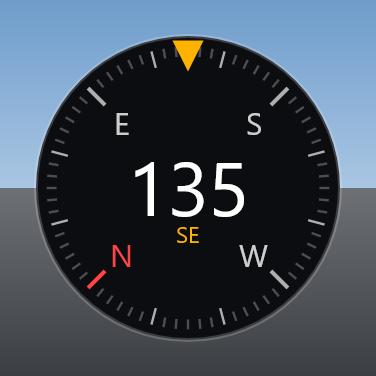
Which way the kart is heading, from the GPS course — a rose that turns, in every theme.
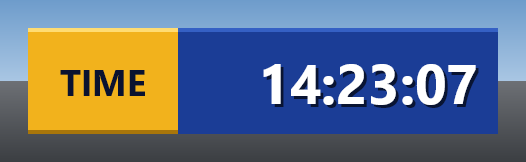
The time of day the camera recorded, from the GPS time stamp, in your time zone.
A QR code for your link, with your logo in the middle and a line of text.
The name of the street you are on, as a São Paulo, New York or highway sign. Free roam.
A telemetria sai do seu GoPro e funciona em qualquer kartódromo. Nestas pistas a gente também integra o resultado oficial — leaderboard, posições e penalidades.
| Kartódromo | Cronometragem oficial |
|---|---|
| Granja Viana (KGV) | Completa |
| Interlagos | Parcial |
| San Marino | Mínima |
| Itu | Mínima |
| Aldeia da Serra | Mínima |
| Speedland | Mínima |
Sua pista não está aqui? A telemetria do GoPro funciona do mesmo jeito — a integração oficial a gente vai adicionando.
No data logger, no syncing spreadsheets. The telemetry is already in the file — HUDmentar just reads it.
Drop the file in. The embedded telemetry is extracted automatically.
Drag widgets over the video, pick colors and themes, and preview it live.
Render with the HUD burned in, in Full HD or 4K, GPU-accelerated and ready to upload.
Pay with Pix, get your license key by email, and unlock the app. Once activated, it works offline.
For a single race weekend or a short season.
The whole season, at the lowest price.
Pay instantly with Pix — QR code or copy-and-paste.
Your license key arrives by email.
Paste the key into the app. It works offline from then on.
Pix is Brazil's instant payment system. Prices in Brazilian reais (BRL).
The installer is free. The license is activated inside the app, with the key you receive by email.
Install first, then subscribe and paste your license key when the app asks for it. NVENC acceleration requires an NVIDIA graphics card.
A quick overview. The full tutorial walks through every click, and you don't need any technical knowledge.
Turn on the GPS in your GoPro's Preferences and give it a minute outdoors to find satellites before you start recording.
Take the SD card out, copy the original .MP4 files into a new folder, and add the kart track's lap-time files to that same folder.
Click Open folder and pick yours, then Load session. Run a 10-second test, then Export your finished video.
2026-10-12 Granja Viana/
├─ GH010123.MP4    GoPro video
├─ GH020123.MP4    chapter 2 (if any)
├─ race-laps.html  kart track lap times
└─ result.pdf      official result (optional)
The GoPro HERO12 Black has no GPS, so it won't work. HERO5 to HERO11 Black, MAX and HERO13 Black do.